

AI Agent ROI Calculator: See Payback and Hours Saved Before You Commit
Executive Summary
- Defensible Financial Model: Built directly from your task volume, handling time, and fully loaded hourly wage—not vendor marketing percentages.
- Payback Before Proposals: Quickly calculates how many months of autonomous savings are required to recoup setup and engineering costs.
- The Containment Driver: Understand how containment rate (autonomous resolution without human handover) dictates your bottom-line return.
- Capacity Realism: Pinpoint exact Full-Time Equivalent (FTE) labor hours recovered so you can redeploy staff to high-leverage work.
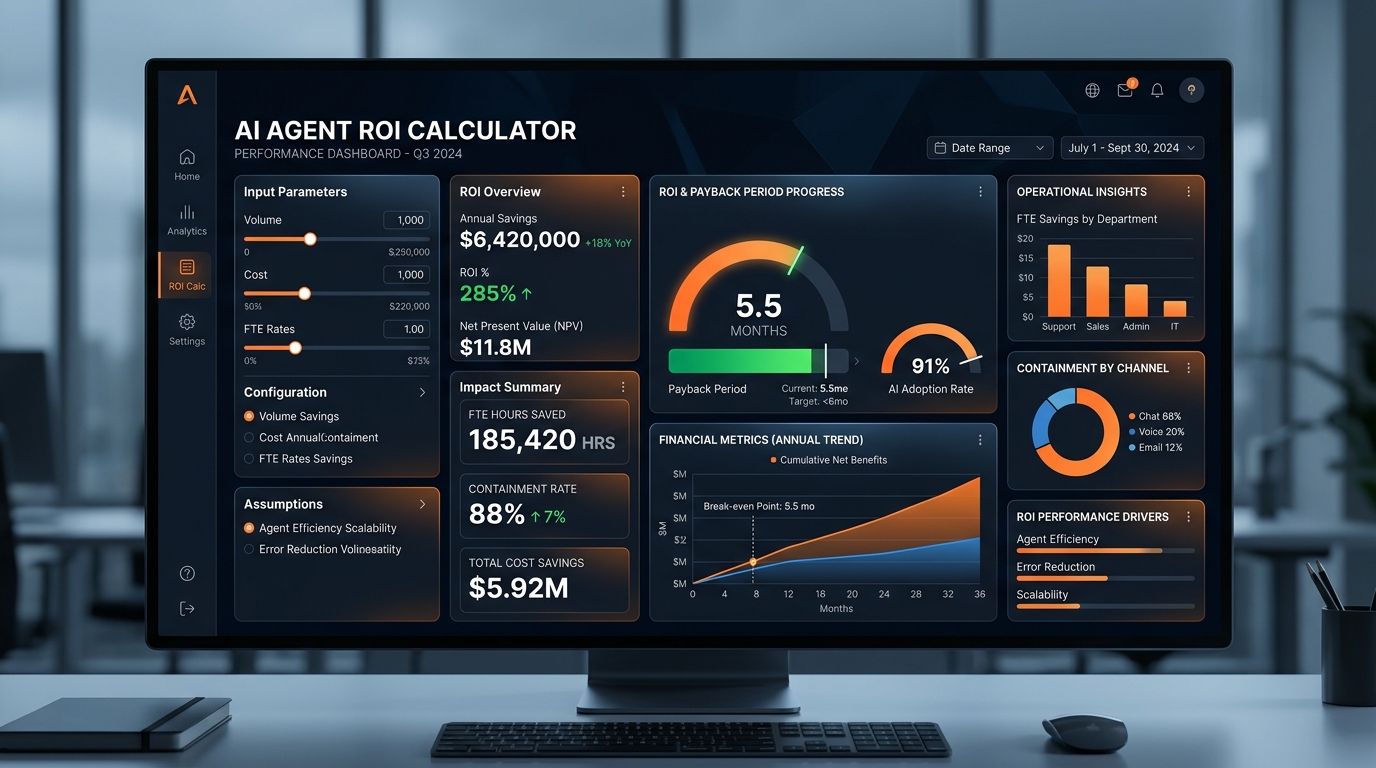
The AI agent ROI calculator gives you a defensible estimate of what an agent would save your business, how long until it pays for itself, and how many full-time-equivalent hours come back to your team. You enter the task, the volume, and the loaded hourly cost. The calculator returns a range, not a promise.
Most buyers arrive here after a bad experience with a generic automation tool, or after reading a vendor page that quotes savings with no mechanism behind them. This page shows the mechanism.
AI Agent ROI & Payback Calculator
Model one repeatable queue. Enter your real volume and fully loaded labor cost, adjust the containment rate, and see exact hours returned and payback timelines.
1. Workflow Inputs
2. Financial & Capacity Impact
1. What the Calculator Actually Does
You describe one repeatable task your team handles today. Qualifying inbound leads, booking appointments, answering the same support questions, or making outbound calls. You enter how many times that task happens per week, how long it takes on average, and the fully loaded hourly cost of the person doing it.
The calculator multiplies volume by time by cost to get your current annual spend on that task. It then applies a containment rate: the share of instances an agent can handle without a human. That rate is the number you should argue about, because it drives everything else.
From there you get three outputs. Estimated annual savings. Payback period, meaning how many months of savings it takes to cover the build. FTE hours saved, expressed as hours per month and as a fraction of a full-time role.
One honest limit: the calculator cannot know your data quality. If your CRM records are inconsistent or your support tickets are not tagged, containment drops and the estimate gets softer. Fix the data first or expect a wider range.
2. Benefits You Can Act On
- You get a number you can defend in a budget meeting. Not a percentage pulled from a vendor deck, but a figure built from your own volume and your own labor cost. When a finance lead asks where the savings come from, you point at the inputs.
- You see payback before you see a proposal. Payback period is the output that kills bad projects early. If the math says four years, you stop. That saves you the discovery cost entirely.
- You separate tasks worth automating from tasks that are not. Some work looks repetitive but varies enough that containment stays low. The calculator makes that visible instead of hiding it behind a demo.
- You size the build, not just the return. FTE hours saved tells you whether you are replacing a fraction of one role or reshaping a whole queue. That changes what you ask for when you scope an AI agent development engagement.
- You get a shared language with your team. Everyone argues about the same three inputs instead of trading opinions about whether AI works.
3. How It Works in Three Steps
- Pick one task and one queue. Do not model your whole operation. Choose the single workflow with the highest volume and the most consistent inputs, such as inbound lead qualification or appointment reminders.
- Enter volume, average handling time, and loaded hourly cost. Loaded cost includes salary, benefits, and overhead, not just the wage. If you skip overhead, you will understate the savings and reject a project that was actually viable.
- Adjust the containment rate and read the payback period. Start conservative. If the project still pays back at a low containment rate, you have a case. If it only works at an optimistic rate, you have a hope.
Run the calculator on two tasks side by side. The comparison usually settles the priority question faster than any internal debate.
4. What You Get from Softosmith
Softosmith builds custom AI agents for lead generation, appointment booking, support, and outbound calling. The calculator tells you whether the economics work. The build is where the containment rate becomes real.
A typical engagement starts with a free first call or demo, where we look at your task and tell you whether an agent is the right answer. From there, scoping covers the agent type, the systems it touches, and the data it needs. We work with CRM platforms, booking tools, calendar sync, and RAG systems for support knowledge.
If your agent has to sit inside an existing stack rather than beside it, that is a business system AI integration problem, and it is usually the part that decides whether containment holds up in production. For phone-based work, voice AI agents handle low-latency conversation and outbound dialing, which changes the volume assumptions in the calculator.
We do not publish package prices, because scope varies too much to quote honestly from a page. What we can tell you is what drives the number up or down: number of systems to integrate, quality of your historical data, and how much of the conversation needs to stay with a human.
5. Why the Estimate Holds Up
The main objection we hear is that ROI models are built to impress, not to predict. Fair. So here is the mechanism, stated plainly.
The calculator does not assume a containment rate for you. You set it. If you set it at a conservative level and the project still clears payback, the result is robust to being wrong. That is the opposite of a vendor model that starts from an assumed success rate and works backward.
We also refuse work. If the calculator says the task is too variable, or your data is too messy to support retrieval, we will tell you on the first call. A failed agent deployment costs more than a declined project. Amin Ali, who founded Softosmith, runs that first call himself for scoping questions, and the answer is sometimes no.
For teams that also run back-office finance workflows, the same discipline applies elsewhere: Teradion, a management software publisher for accounting firms, builds around process accuracy rather than headline automation, which is the standard worth holding any ROI model to.
6. Book the Call
Run the calculator, then bring the output to a free first call. We will pressure-test your containment rate, flag the integration risks, and tell you whether the payback period you calculated is realistic for your stack.
No urgency tactics. If the numbers do not work, we will say so and you keep the model.
Ready to Pressure-Test Your Numbers?
Schedule a 20-minute scoping session with Amin Ali. We will review your task volume, test your containment rate assumptions, and evaluate backend API readiness.
Schedule Free Scoping CallFrequently Asked Questions
What inputs does the AI agent ROI calculator need?
Three core inputs: how often the task happens per week, how long it takes on average, and the fully loaded hourly cost of the person doing it. You also set a containment rate, which is the share of instances the agent handles without human involvement. Everything else is derived from those numbers.
How accurate is the payback period it returns?
It is as accurate as your containment rate. The arithmetic is simple and verifiable. The uncertainty lives in how much of your real traffic an agent can actually resolve, which depends on data quality, task variability, and how well the agent is integrated with your existing systems.
Can I use it for support, sales, and phone agents at the same time?
Yes, but run each task separately. A support queue and an outbound calling list have different volumes, handling times, and containment ceilings. Blending them into one number hides the task that is actually worth building first.
What if my data is not clean enough for an agent?
Then the calculator will overstate savings, and we will say so on the first call. Retrieval-based agents depend on consistent records. If your CRM or knowledge base is inconsistent, cleaning it is part of the project, and that cost belongs in your payback math.
Does Softosmith guarantee the savings the calculator shows?
The calculator is a planning tool, not a commitment. We do not guarantee specific savings figures. What we do is scope the build against the assumptions you entered and tell you where those assumptions are likely to break.